The page builder that keeps WordPress fast
Drag & drop pages that render when you save, so visitors get finished HTML and almost no JavaScript.
Illustration: a page is assembled in the Akram editor from a hero, a features row and a pricing table. A side card compares what visitors download: 333 KB of JavaScript for the Elementor page and 4.9 KB for the same page built with Akram.
- 4.9 KBJavaScript on a typical landing page
- 0 msmain-thread blocking on mobile
- 127widgets, all in the free plugin
- WCAG 2.2AA editor, dashboard and templates
- $0for the theme builder, popups and forms
How it is fast
Built when you save, not when they visit.
Most builders rebuild your layout in the visitor’s browser or on every request. Akram renders the page once, when you click Save, and stores the result. That one change is where the speed comes from.
A typical builder every visit
The page is put together again for every visitor, on every phone.
Visitors on mid-range phones wait for code they never use.
Akram once, on save
You click Save. Akram writes plain HTML and one cached CSS file.
A page without a slider loads no slider code. The biggest widget script is under 4 KB.
The builder
Everything you expect from a page builder, without the weight.
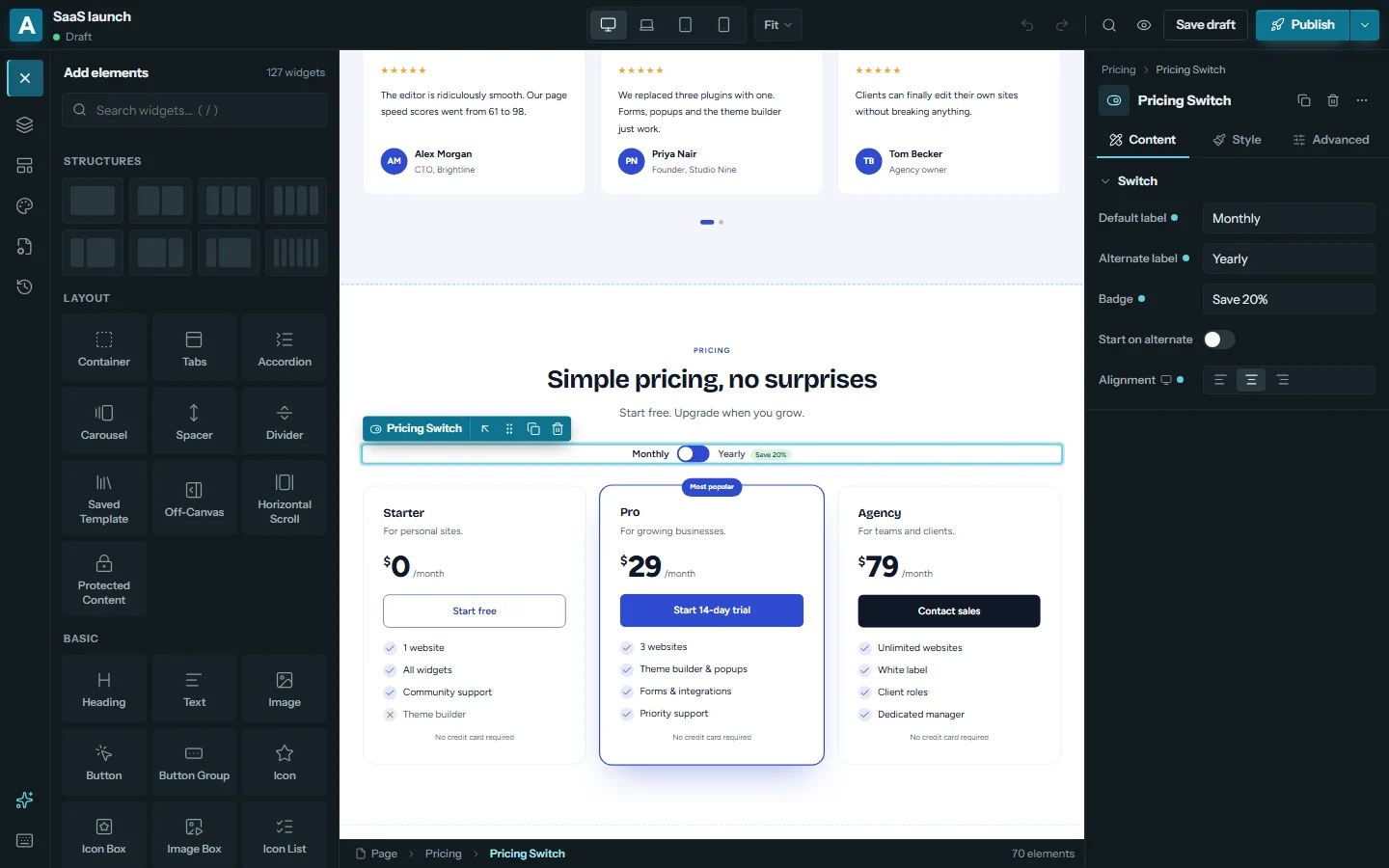
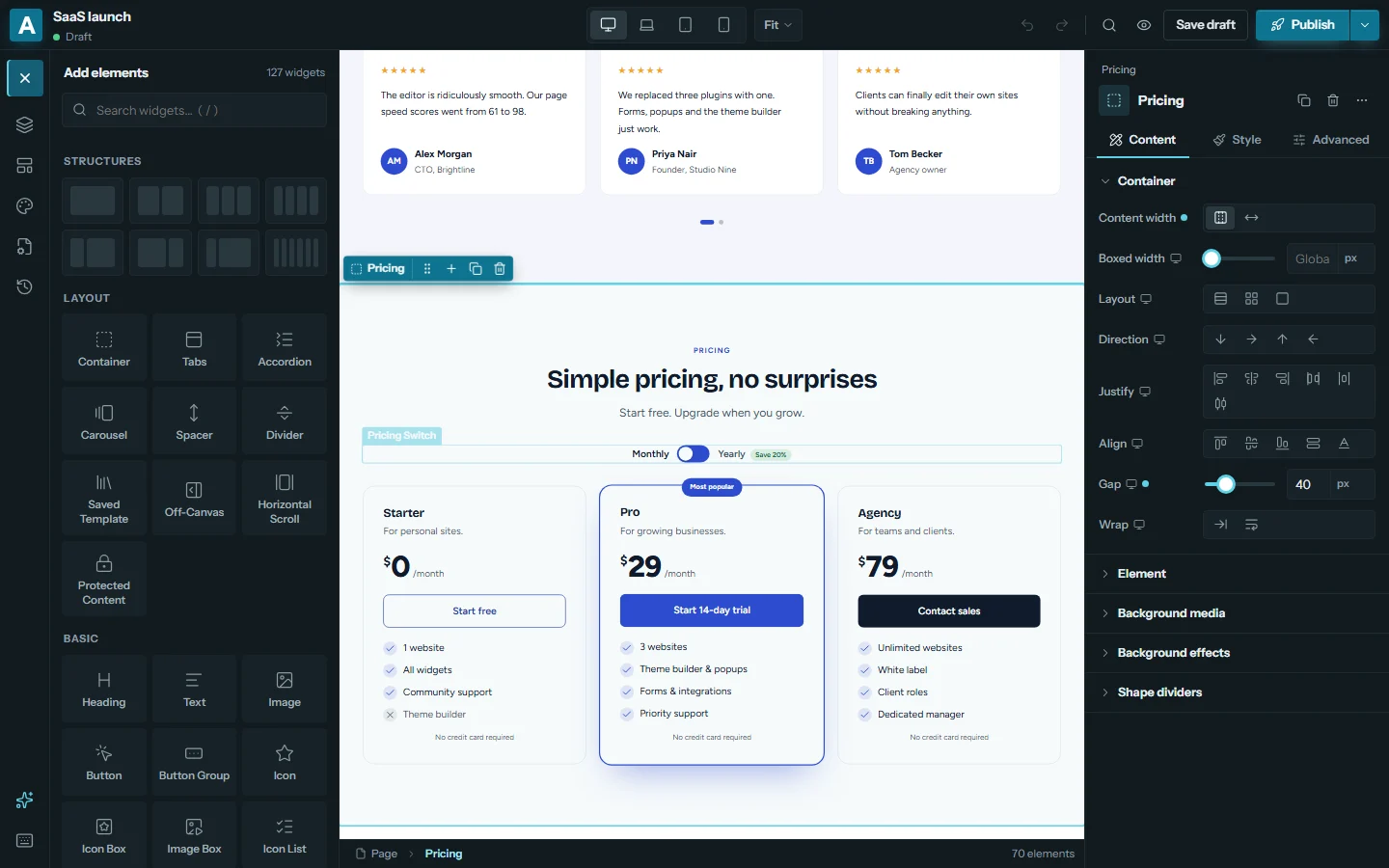
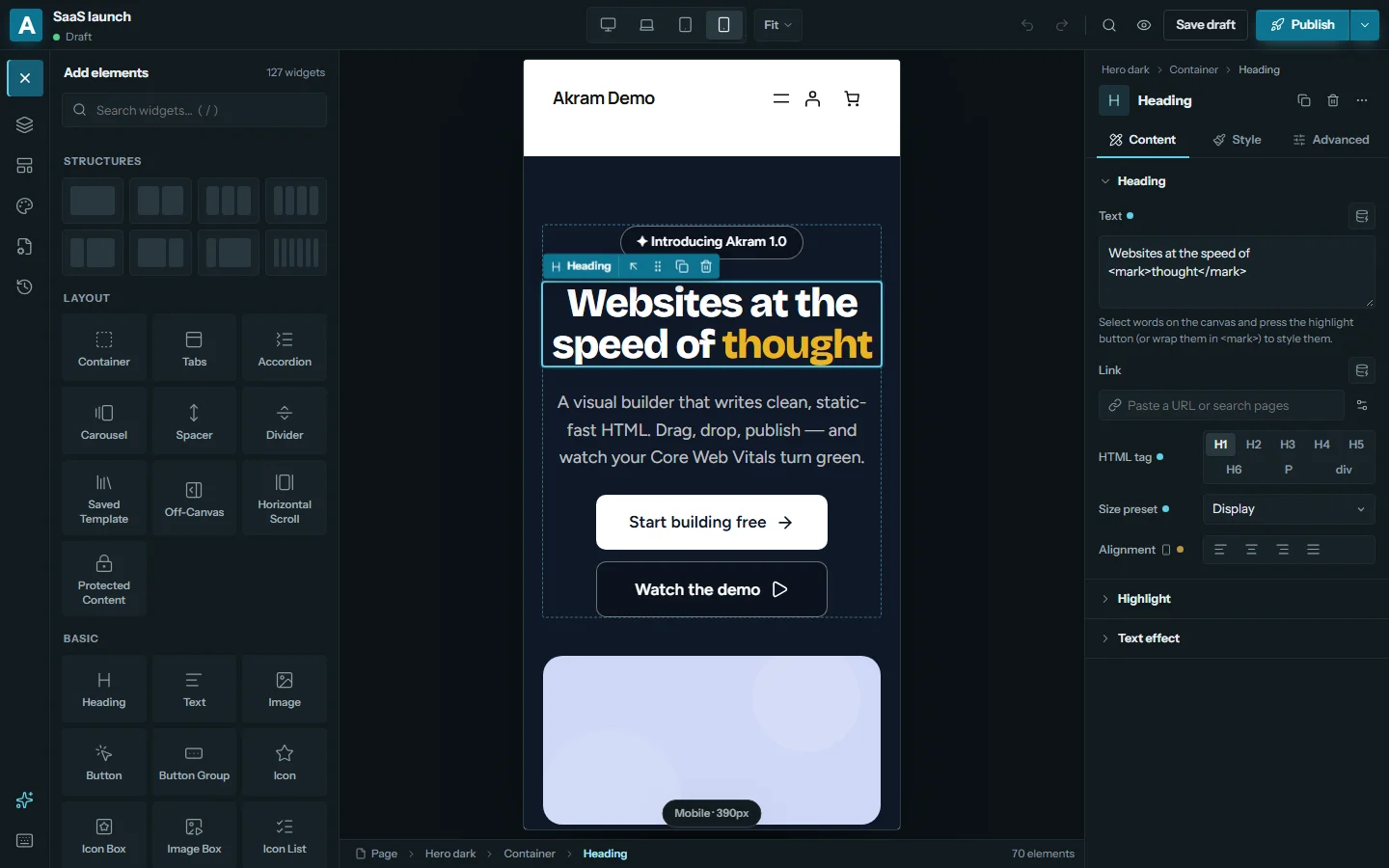
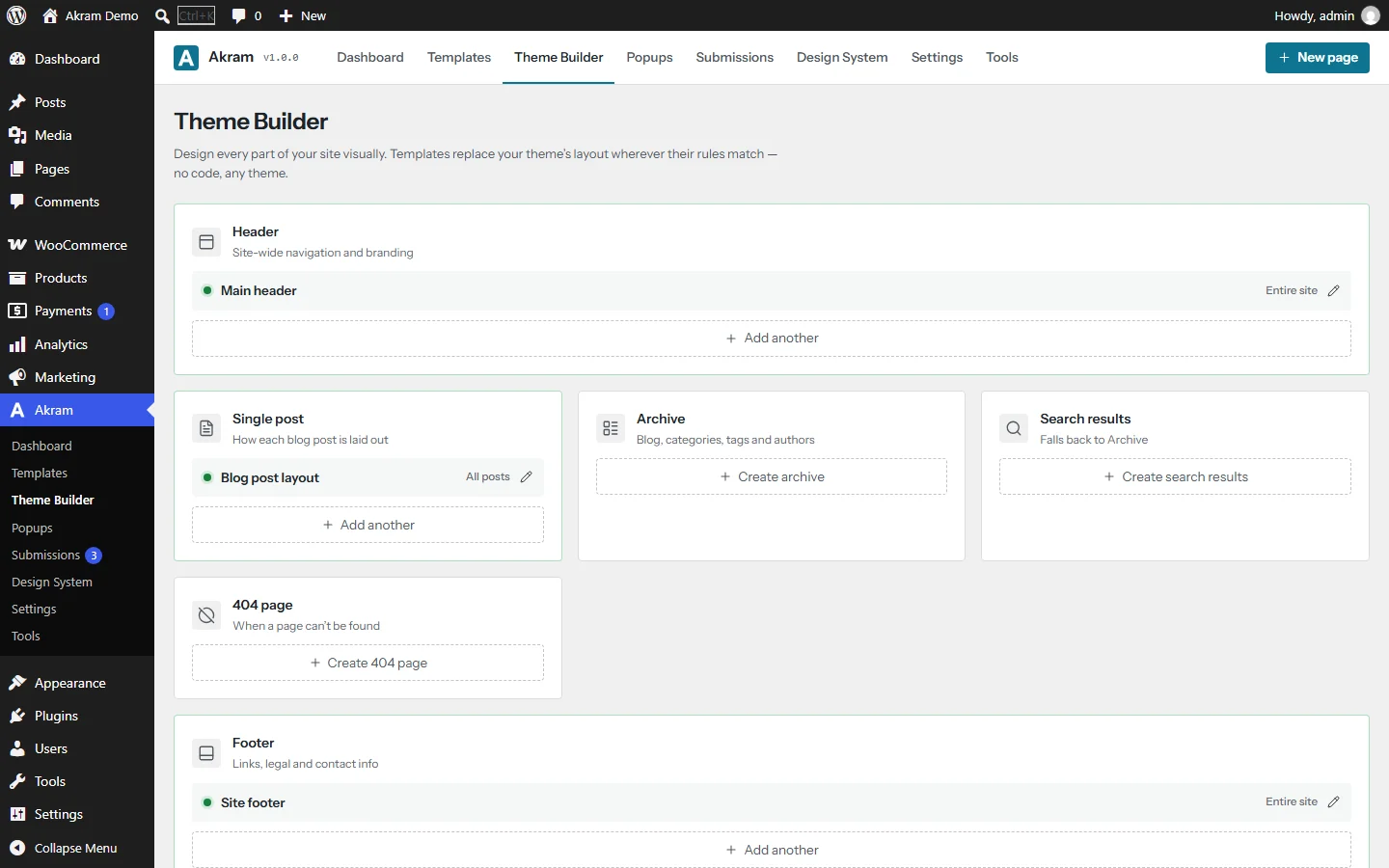
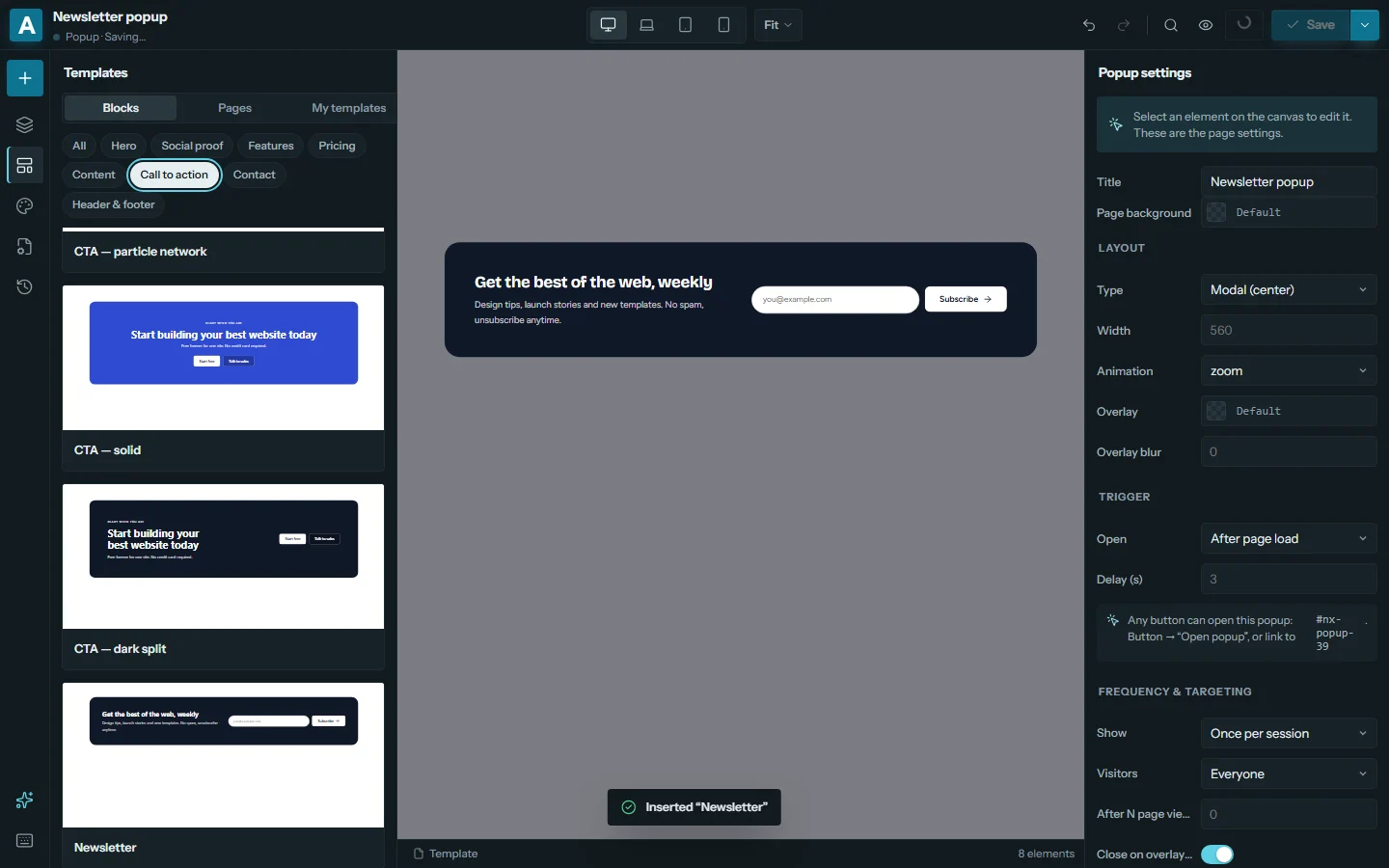
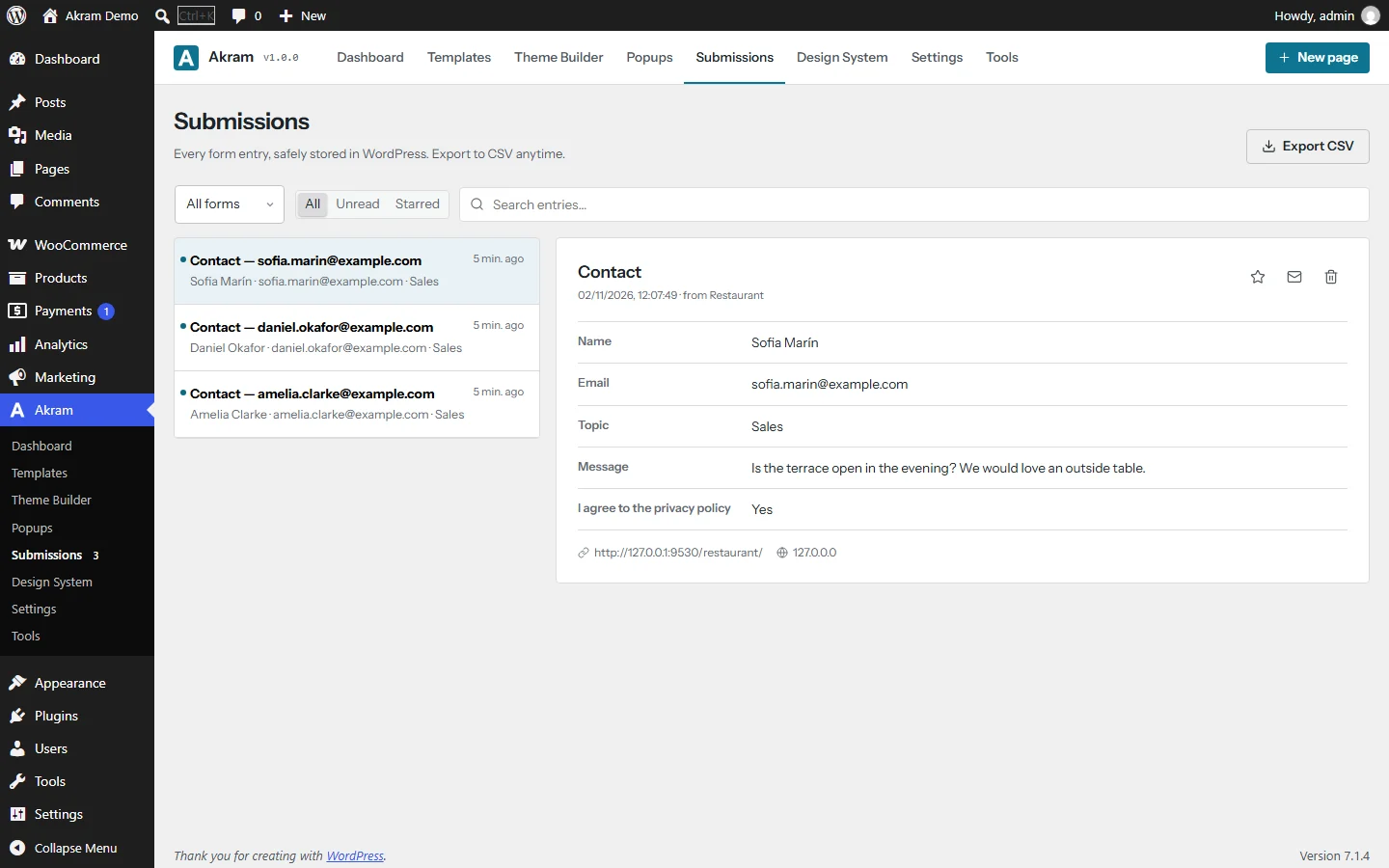
The tools agencies and site owners use every day, in an editor that feels quick even on large pages. These are real screenshots, not mockups.
Benchmark
Same page. Same theme. A lot less to download.
We built one landing page in Elementor, converted it with Akram’s own migration tool, and measured both on the same server. The method and scripts are public.
Widgets
127 widgets. One spec sheet.
All 127 are in the free plugin. No add-on packs to buy. Turn off the ones you don’t need and they disappear from the editor.
Layout
Container with flexbox and grid, tabs, accordion, carousel, content switcher, off-canvas, horizontal scroll, protected content, 13 shape dividers, background video, slideshow and effects.
17Basic
Heading with highlights, text, image with masks, button, icon box, image box, icon list, video, audio, map, social icons, counter, testimonial, code block, QR code, weather.
28Creative
Animated headline, flip box, hotspots, before/after, marquee, Lottie, curved text, timeline, process steps, hover card, custom cursor, stacked cards.
20Marketing
Call to action, pricing table with monthly/yearly switch, countdown, FAQ with schema, charts, data table, coupon, cookie consent, PayPal and Stripe buttons, events.
21Media & forms
Gallery (masonry, justified, filters), image carousel, PDF viewer, video playlist, 360° spin; forms with 25 field types, logic, calculations and uploads.
9Site, blog & shop
Menus with mega menus, live search, breadcrumbs, posts grid and loop templates, post meta, comments, 17 WooCommerce widgets with AJAX filters, wishlist and quick view.
32Beyond pages
Build the whole site, not just the landing page.
Headers, footers, popups and the rules that decide who sees what. On one site, Elementor needs its $84 plan for all of them. In Akram they’re free.
Theme builder
Header, footer, single, archive, search and 404 templates with include and exclude rules.
Popup builder
Six trigger types, frequency limits and targeting. Accessible by default, with focus handling.
Display conditions
Show any element by role, date, device, referrer, cookie, cart contents and 20 more rules.
Dynamic content
Fill text, links and images from posts, users, custom fields, ACF and WooCommerce.
Motion effects
Entrance animations, parallax and scroll effects that calm down for people who prefer less motion.
Design system
Global colors, fonts and type sizes. Change one value and every page updates.
Real-time co-editing
Edit the same page with your team. See each other’s selection, keep your own undo.
Accessible
Editor, dashboard and templates tested for WCAG 2.2 AA. Build with only a keyboard.
Translatable
Every word can be translated on WordPress.org, with full right-to-left support.
Templates
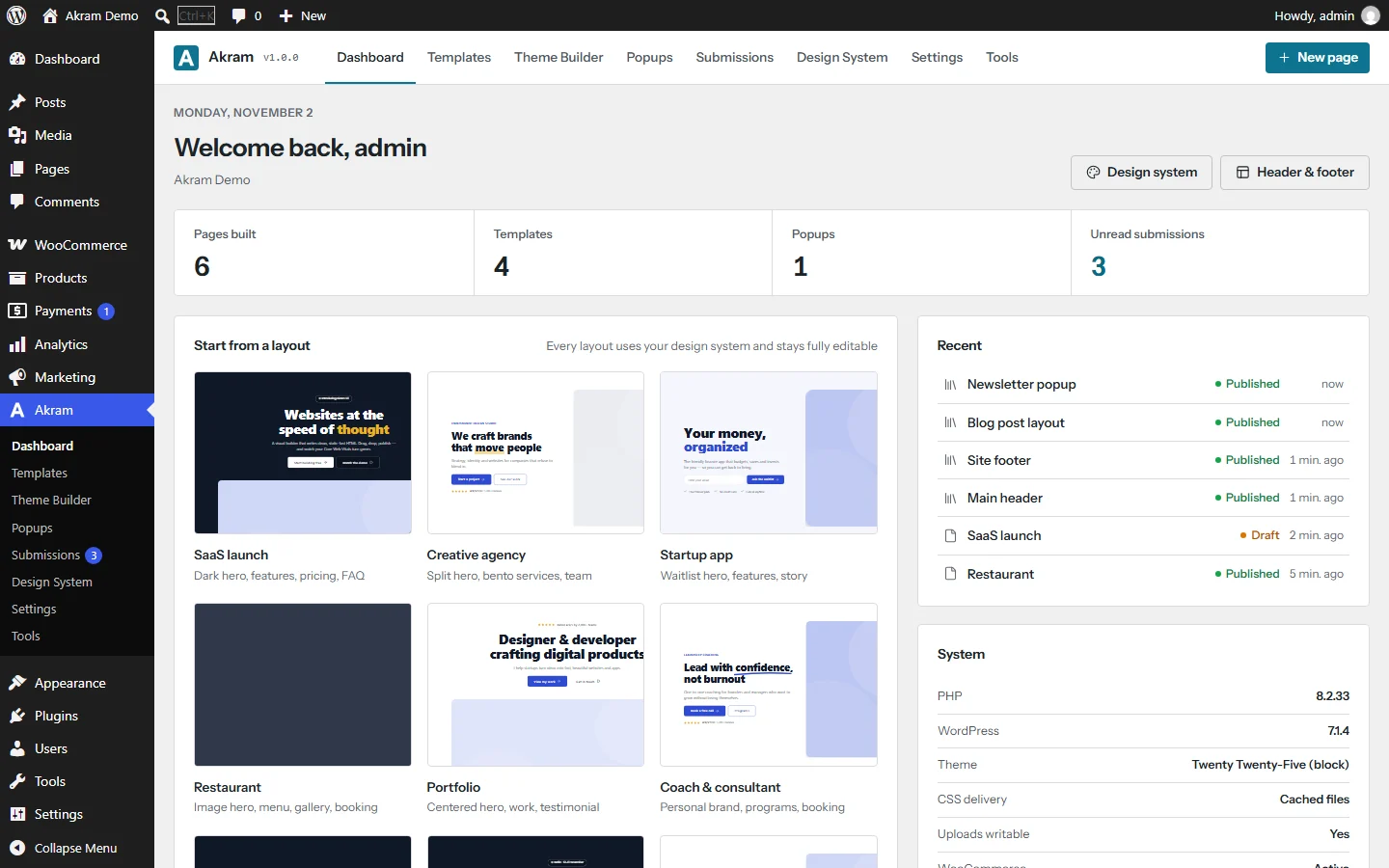
Start from a finished site in one click.
12 website kits and 34 designed sections. They pick up your colors and fonts from the design system, so they look like your brand from the first click.
- 01SaaS launch
- 02Creative agency
- 03Startup app
- 04Restaurant
- 05Portfolio
- 06Coach & consultant
- 07AI startup
- 08Conference & events
Pricing
The whole builder is free.
Theme builder, popups, forms and WooCommerce included, on any number of sites. Akram Pro, in development, will add extra tools such as custom code, interactions and an image optimizer.
Free
The complete page builder, on WordPress.org.
$0forever
Download free- Every builder feature, any number of sites
- All 127 widgets, including WooCommerce
- Theme builder, popups and forms
- 12 website kits and 34 sections
- Co-editing, white label, role manager
- Migrate from Elementor
- Community support
Personal
For your own site or blog.
$49per year
Join the waitlist- 1 site
- Everything in Free
- Every Pro add-on feature
- 1 year of updates
- Email support
Pro
For freelancers and growing businesses.
$79per year
Join the waitlist- 5 sites
- Everything in Free
- Every Pro add-on feature
- 1 year of updates
- Email support
Agency
For agencies building client sites.
$149per year
Join the waitlist- Unlimited sites
- Everything in Free
- Every Pro add-on feature
- 1 year of updates
- Priority email support
Akram Pro is in development and not on sale yet. Planned prices in US dollars, billed yearly. Join the waitlist and we’ll email you when it launches.
Coming from Elementor? Keep your pages.
Akram converts Elementor pages for you, one by one or all at once. Your original data is untouched, so you can switch back at any time.
- Install Akram next to ElementorBoth can run at the same time while you migrate.
- Open Tools → Migrate from ElementorPick pages, or convert all of them in one go.
- Review and publishConverted pages stop loading Elementor’s files straight away.
Questions
Good questions, short answers.
Is Akram really free?
Yes. The plugin on WordPress.org has every feature on this site: all 127 widgets, the theme builder, popups, forms, WooCommerce widgets and all 12 website kits, on as many sites as you like. Akram Pro, which we’re building now, will be a separate add-on with extra tools such as custom code, interactions and an image optimizer. Nothing in the free plugin will move to Pro.
Does it work with my theme?
Akram works with classic and block themes. The editor shows your real theme, so what you see is what visitors get. For full control, design your own header and footer with the theme builder.
I already use Elementor. Do I have to rebuild?
No. Tools → Migrate from Elementor converts your pages one by one or all at once. Your original Elementor data is kept, so you can go back at any time.
What happens if I deactivate Akram?
Every page also keeps a plain HTML copy in the normal WordPress content. Your text, images and layout stay readable without the plugin.
Does Akram send any data anywhere?
No. There is no tracking and no account. External services (like Mailchimp or reCAPTCHA) are only contacted if you turn them on and add your own keys. The optional AI assistant uses the AI provider you connect to WordPress itself.
Which versions of WordPress and PHP do I need?
WordPress 6.2 or newer and PHP 7.4 or newer. Akram is tested up to WordPress 7.1 and PHP 8.4, including multisite.
Build your next site with Akram.
Install it free from WordPress.org and build your first page in under a minute.